Inventory & Discovery
A live, unified map of every asset — across every cloud and on-prem.
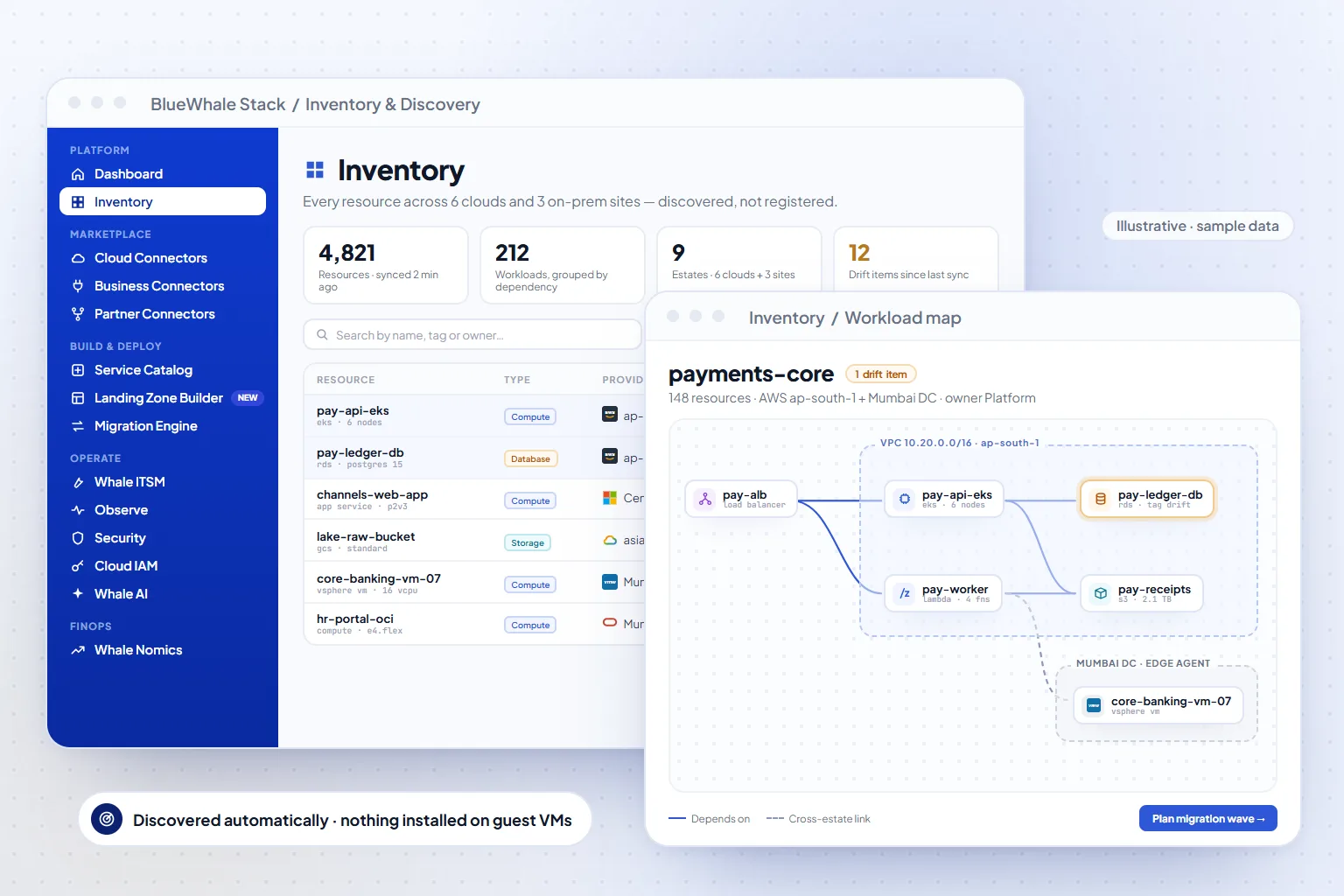
Inventory & Discovery builds one live map of every resource you run — across AWS, Azure, Google Cloud, Oracle, Alibaba and Huawei, and on-premises VMware, Hyper-V, Nutanix and OpenShift estates connected through the Edge Agent. Resources are grouped by workload with their dependencies, so platform, security and finance teams work from the same picture instead of six consoles and a spreadsheet.
- 6 + on-prem
- Public clouds plus private estates in one inventory
- Workload
- Grouping with dependency mapping, not raw resource lists
- PDF · XLSX · CSV
- Exports for audits, CMDB and finance
Capabilities
What Inventory & Discovery does
Continuous discovery
Connectors sync each account on a schedule and on change events; the Edge Agent inventories hypervisors over outbound-only HTTPS. New resources appear without anyone registering them.
Workload grouping and dependencies
Resources are normalised into one model and grouped into workloads (VPC → subnet → compute → database), so an application is a unit you can search, cost and migrate — not a list of instance IDs.
Live lifecycle actions
Start, stop, tag, resize or retire from the inventory itself, with role-based approval where policy requires it and every action written to the audit log.
Reports and feeds
Export the estate as PDF, Excel or CSV, and feed the same inventory to Whalenomics (cost), Cloud Audit & Evidence (controls) and the Migration Engine (waves).
How it works
3 steps, from first connection to steady state
Connect
Add cloud accounts with read-only credentials and register Edge Agents for on-prem sites. The first discovery typically completes within minutes of a connector going green.
Normalise
Every provider's resource types are mapped to one schema with tags, owners, regions and relationships — the shared model every other family reads.
Work from one map
Search, filter by provider or workload, act on resources, and export — the inventory is the system of record for the estate.
Where it fits
One module of one platform
Shared platform
Capabilities
- Discovery across 6 public clouds + private, hybrid & edge
- Resources grouped by workload, with dependency mapping
- Live lifecycle actions on assets
- PDF / Excel / CSV reports
Included in
Solutions that use it
Also in Migration & Discovery
Questions
Questions teams ask before turning it on
Scope, permissions and maturity — answered the way we answer them in an evaluation.
01Does discovery need agents on every VM?
No. Public clouds are discovered through their APIs with read-only credentials. On-premises estates use one Edge Agent per site, which talks to the hypervisor APIs (VMware, Hyper-V, Nutanix) — nothing is installed on guest VMs.
02How fresh is the inventory?
Connectors sync on a schedule and react to change events where the provider offers them; most estates see changes reflected within minutes. Each connector shows its last successful sync on the health page.
03Can we export for our CMDB or auditor?
Yes — PDF, Excel and CSV exports are built in, and the same data is available through the REST API for CMDB or GRC integrations.
See it on your data
Inventory & Discovery, on your own estate — in one working session.
Bring one cloud account or one on-prem site. We connect it read-only during the call, walk the module on your real resources, and leave you with the export.