Whale ITSM
The ITSM that ships with your cloud — incidents, changes, releases, requests and problems, pre-wired to your scanner, Terraform and CMDB.
Whale ITSM is service management built for cloud operations: incidents with P0–P4 SLAs and breach detection, change and problem management, a knowledge base, a CMDB fed by the live inventory and kanban boards — with tickets raised directly from cloud events and two-way integration with ServiceNow and Jira where those remain the system of record.
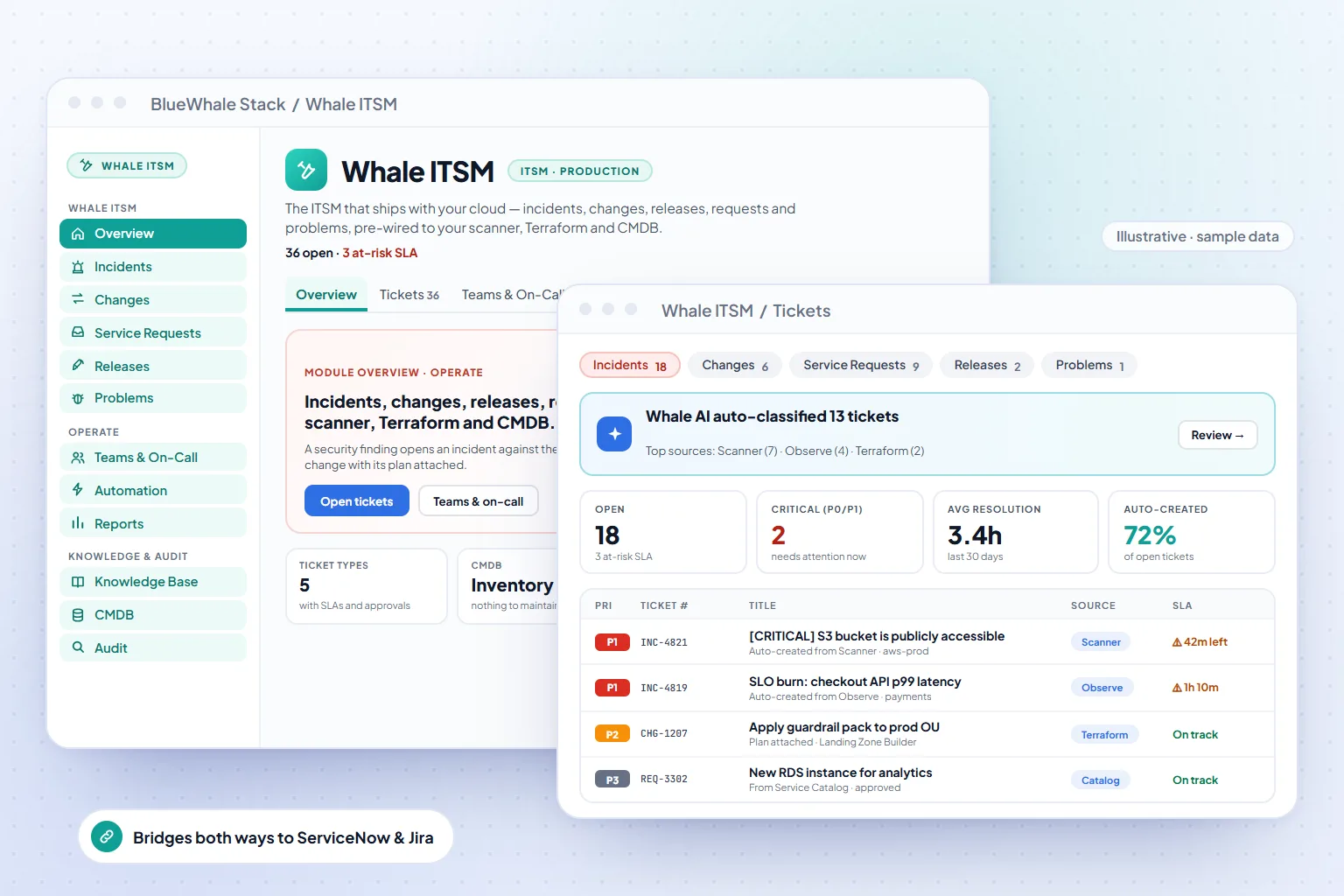
- 5 ticket types
- Incidents, changes, releases, requests and problems — P0–P4 SLAs and approvals
- Auto-created
- Findings, alerts and deploys open the right ticket for the right team
- 30+ bridges
- Two-way with ServiceNow, Jira or another desk as system of record
Capabilities
What Whale ITSM does
Incidents from the estate
A failed connector, an SLO burn, a policy violation or a cost anomaly opens an incident with the affected workload attached — no copying from one tool to another.
Change and problem management
Changes carry the approval trail from the Service Catalog; problems link recurring incidents to a root cause and a fix.
CMDB without manual upkeep
Configuration items are the inventory — when a resource changes, its CI changes; relationships come from dependency mapping.
Integrations
Push and sync tickets with ServiceNow and Jira, keep your existing queues and on-call, and use the platform as the source of cloud context.
How it works
3 steps, from first connection to steady state
Classify
Set SLA classes and escalation paths per service; the estate's events map to them automatically.
Work the queue
Incidents, changes and problems in kanban or list views, each linked to the live resources involved.
Close with evidence
Every state change is recorded — the audit trail doubles as the evidence the regulator and the post-incident review both need.
Where it fits
One module of one platform
Shared platform
Capabilities
- 5 ticket types with P0–P4 SLAs, breach detection & approvals
- Auto-created from scanner findings, alerts & deploys — classified by Whale AI
- CMDB is your inventory — nothing to keep in sync
- 30+ bridges to ServiceNow, Jira & other desks, both ways
Included in
Solutions that use it
Industries that rely on it
Also in Observability & ITSM
Questions
Questions teams ask before turning it on
Scope, permissions and maturity — answered the way we answer them in an evaluation.
01We already run ServiceNow. Do we have to switch?
No. Keep ServiceNow or Jira as the system of record and sync tickets both ways; the platform adds the cloud context — the resources, cost and policy behind each ticket.
02How are SLAs measured?
Per priority class (P0–P4) with response and resolution targets you set; breaches are detected continuously and escalated on the path you define.
03Is the CMDB maintained manually?
No — configuration items and their relationships come from the live inventory and dependency map, so the CMDB is as current as the last discovery.
See it on your data
Whale ITSM, on your own estate — in one working session.
Bring one cloud account or one on-prem site. We connect it read-only during the call, walk the module on your real resources, and leave you with the export.