Identity & Access
One identity fabric — federate your IdP and auto-provision access everywhere.
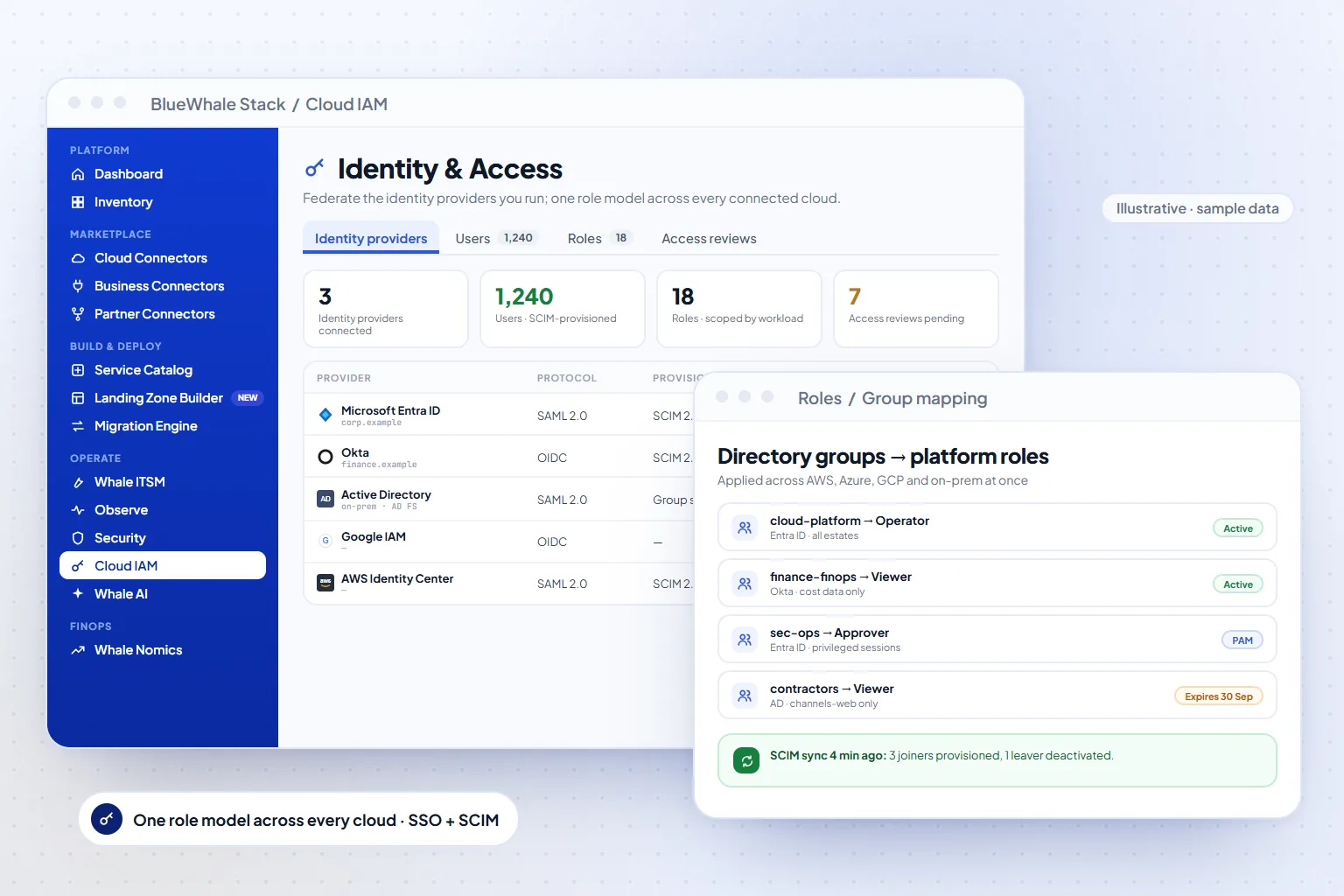
Identity & Access is the platform's identity fabric: federate the identity providers you already run — Entra ID, Okta, Auth0, AWS Identity Center, Google IAM, OneLogin, on-prem Active Directory and the cloud IAMs — provision users automatically over SCIM, and apply one role model across every connected cloud. Enterprise adds Whale IAM-PAM for privileged sessions.
- 9+
- Identity providers over SAML 2.0 and OIDC
- SCIM 2.0
- Automatic user and group provisioning
- One RBAC
- Roles mapped from IdP groups, enforced on every cloud
Capabilities
What Identity & Access does
Single sign-on
SAML 2.0 and OIDC federation with Microsoft Entra ID, Okta, Auth0, AWS Identity Center, Google IAM, OneLogin and on-premises AD, with step-by-step setup guides for each.
Auto-provisioning
SCIM 2.0 creates, updates and deactivates users as your directory changes, and maps IdP groups to platform roles — joiners and leavers are handled where HR already handles them.
Role-based access, cross-cloud
Roles such as viewer, operator and approver apply across AWS, Azure, GCP and on-prem estates at once, with scope by account, workload or tenant.
Privileged access (Enterprise & up)
Whale IAM-PAM brokers privileged sessions with approval gates and recording; the Government Edition makes PAM and MFA mandatory on every role.
How it works
3 steps, from first connection to steady state
Federate
Register BlueWhale Stack as an application in your IdP and exchange SAML or OIDC metadata — a few minutes per provider.
Map groups to roles
Choose which directory groups become which platform roles, and the scopes those roles cover.
Provision automatically
Turn on SCIM so accounts and roles follow the directory; access reviews and the audit trail come for free.
Where it fits
One module of one platform
Shared platform
Capabilities
- 10 IdP adapters (Entra, Okta, Auth0, AWS Identity Center, AD & more)
- On-prem Active Directory support
- Auto-provisioning of users & least-privilege access
- Role-based access across all clouds · continuous scanning
Included in
Solutions that use it
Also in Security & Identity
Questions
Questions teams ask before turning it on
Scope, permissions and maturity — answered the way we answer them in an evaluation.
01Can we keep our existing IdP?
Yes — that is the point. The platform federates with the directory you already run; it never becomes a second source of truth for users.
02How are roles kept in sync?
Through SCIM 2.0 group mapping: when a user joins or leaves a directory group, their platform role follows within the provisioning interval, and the change is logged.
03Is MFA enforced?
MFA is enforced by your IdP policy for SSO. In the Government Edition MFA is mandatory on every role and privileged access always runs through PAM with session recording.
See it on your data
Identity & Access, on your own estate — in one working session.
Bring one cloud account or one on-prem site. We connect it read-only during the call, walk the module on your real resources, and leave you with the export.