Cloud Connectors
One control plane over six public clouds, plus private, hybrid & edge.
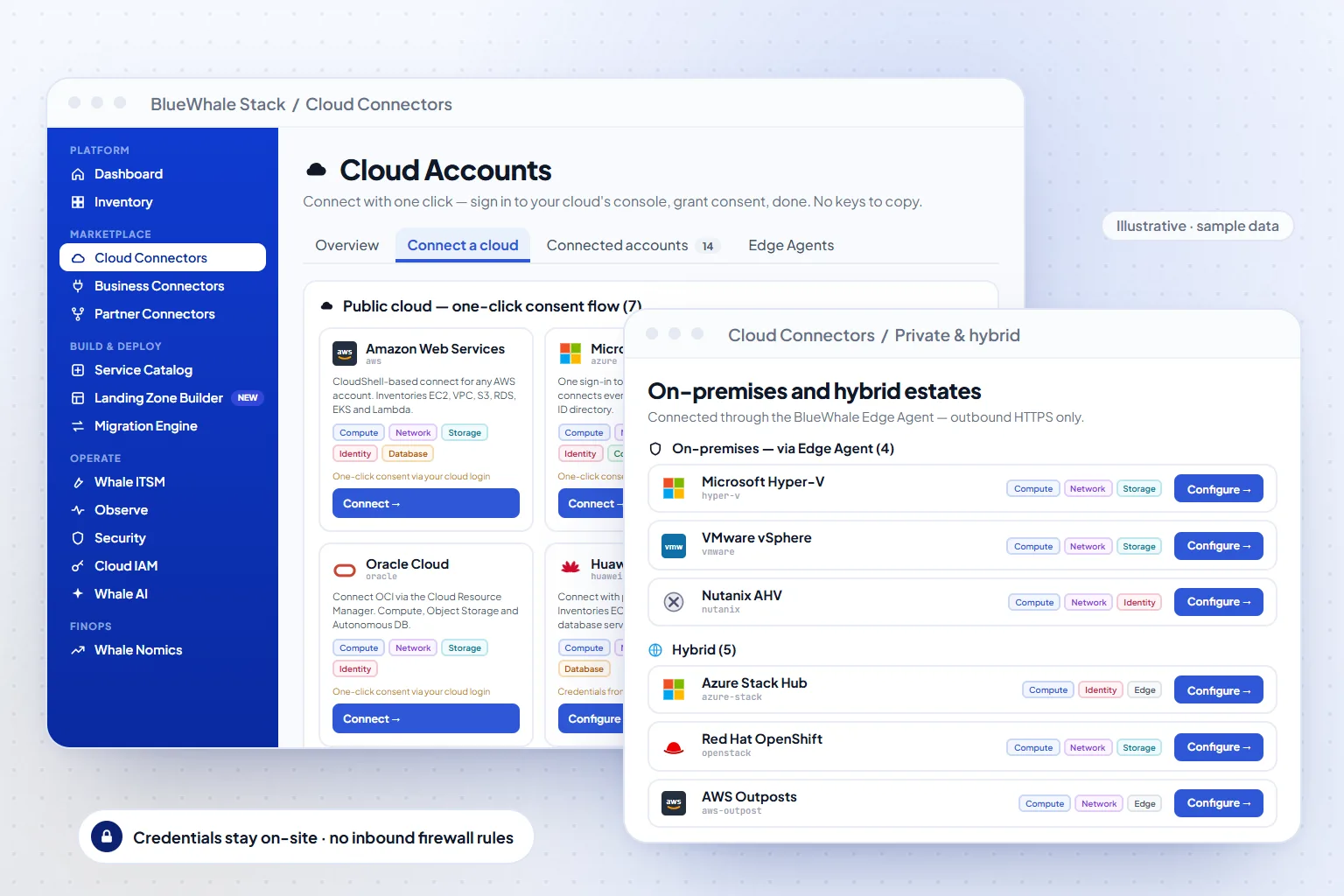
Cloud Connectors are how an estate joins the platform: read-only, least-privilege credentials for each public cloud, and an Edge Agent for private and virtualised estates that connects outbound over HTTPS so credentials never leave your site. Six public clouds are live today; hybrid and sovereign stacks connect through the same agent.
- 0
- Public clouds live — AWS, Azure, GCP, Oracle, Alibaba, Huawei
- Read-only
- IAM role, app registration or service account — never write access by default
- Outbound only
- Edge Agent uses HTTPS out; no inbound firewall rules
Capabilities
What Cloud Connectors does
Least-privilege cloud access
AWS connects with an IAM role and external ID, Azure with an Entra app registration holding the Reader role, GCP with a Viewer service account, Oracle with an API signing key, Alibaba and Huawei with read-only access keys. Write actions are granted separately, per policy.
Edge Agent for private estates
A small agent per site inventories VMware, Hyper-V, Nutanix and OpenShift through their own APIs and reports over outbound-only HTTPS. Hybrid and sovereign stacks — Azure Stack, Huawei Cloud Stack, Alibaba Apsara Stack — attach the same way.
Connector health
Every connector shows last sync, scope and errors; a failing credential raises an ITSM incident rather than silently going stale.
Business and ITSM connectors
ServiceNow and Jira integrations for tickets, plus CRM/ERP connectors for ownership and cost context; some business connectors are still in beta.
How it works
3 steps, from first connection to steady state
Create credentials in the cloud
Follow the guided steps for each provider — the console shows the exact role, policy or key to create, scoped to read.
Register the connector
Paste the role ARN, app credentials or key into the connector form; the platform validates access and runs a first discovery.
Watch it stay healthy
Sync status, scope changes and expiring secrets are surfaced on the health page and as incidents, so nothing quietly drops out of the inventory.
Where it fits
One module of one platform
Shared platform
Capabilities
- 6 public clouds live (AWS, Azure, GCP, Oracle, Alibaba, Huawei)
- Private & virtualization via Edge Agent (VMware, Hyper-V, Nutanix, OpenShift, KVM)
- Hybrid & sovereign stacks — Azure Stack, Huawei Cloud Stack, Apsara Stack
- Outbound-only HTTPS — no inbound firewall changes
Included in
Solutions that use it
Industries that rely on it
Also in Management & Delivery
Questions
Questions teams ask before turning it on
Scope, permissions and maturity — answered the way we answer them in an evaluation.
01What permissions do you need in our cloud accounts?
Read-only. AWS uses an IAM role you create with a read policy and an external ID; Azure the Reader role on the subscriptions you choose; GCP the Viewer role. Provisioning and lifecycle actions use separate, explicitly granted permissions.
02Do we have to open inbound firewall ports for on-prem?
No. The Edge Agent initiates outbound HTTPS to the control plane; nothing connects inbound to your site, and hypervisor credentials stay on the agent.
03Which private platforms are supported?
VMware, Microsoft Hyper-V, Nutanix and Red Hat OpenShift through the Edge Agent, plus bare-metal and KVM estates; hybrid stacks such as Azure Stack, Huawei Cloud Stack and Alibaba Apsara Stack attach through the same agent.
See it on your data
Cloud Connectors, on your own estate — in one working session.
Bring one cloud account or one on-prem site. We connect it read-only during the call, walk the module on your real resources, and leave you with the export.